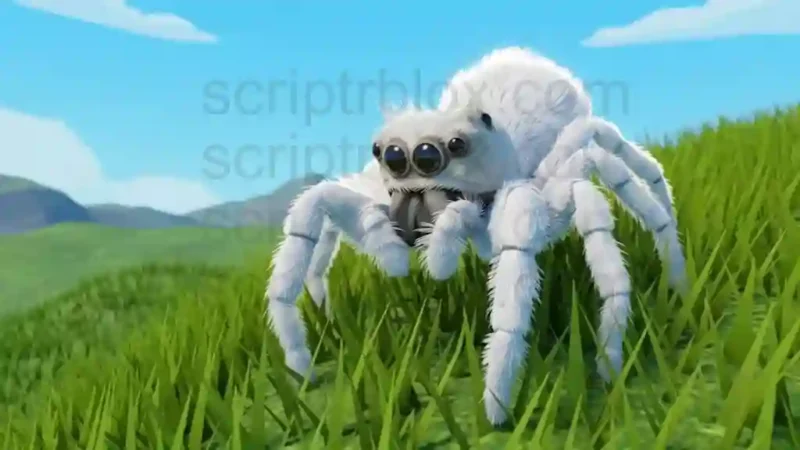

Description
The Bug Evolution Script is designed to automate several feeding, evolving, and farming activities in the Roblox game Bug Evolution. It includes Auto Feed, Auto Evolve, Auto Attack Subs, and Auto Hide to help players manage different gameplay actions. The script also provides Food ESP and Food Boxes options, making it easier to locate food-related objects and explore the available farming tools.
This Bug Evolution Auto Farm Script also includes different farming methods, including Desync and Teleport, along with Farm Stats to track progress. Players can view farming performance per hour and monitor their current session time. The listing identifies the script as Keyless, while mobile compatibility is marked as untested. These features make it relevant for players searching for Bug Evolution auto farm, auto evolve, and food ESP options.
Features
- Auto Feed: Automates the feeding activity.
- Auto Evolve: Automates the evolution process.
- Auto Attack Subs: Provides an automatic attack option for subs.
- Auto Hide: Includes an automatic hiding feature.
- Food ESP: Helps locate food-related objects.
- Food Boxes: Provides food box-related options.
- Farm Food: Automates food farming activities.
- Farm Methods: Includes Desync and Teleport farming methods.
- Farm Stats: Displays farming performance information.
- Per Hour Statistics: Tracks farming results over an hourly period.
- Current Session Time: Displays the duration of the current session.
FAQs
1. Which game does the Bug Evolution Script support?
It is listed for the Roblox game Bug Evolution.
2. Is the Bug Evolution Auto Farm Script keyless?
Yes. The listing displays a Keyless tag.
3. Does this script include Auto Evolve?
Yes. Auto Evolve is one of its main listed features.
4. What does Food ESP do in this script?
Food ESP helps players locate food-related objects in the game.
5. Is the script tested on mobile devices?
No mobile compatibility confirmation is provided. The listing marks mobile as untested.
Script Preview
loadstring(game:HttpGet("https://api.jnkie.com/api/v1/luascripts/public/651de1935b552e9620f199043b234e9ad9cdf0c22e0741357d56fb5b7d03e074/download"))()How to Use This Script
Open Your Executor
Launch a supported executor and attach it to a running Roblox session.
Copy the Script
Click the Copy button above. The full loadstring is placed on your clipboard instantly.
Paste & Execute
Paste it into the executor and hit Execute. The hub window opens inside the game.
Features
Tested with
Compatible Executors
Similar Scripts
 26
4 days ago
No Key
10
4 days ago
No Key
17
4 days ago
No Key
32
4 days ago
No Key
Comments
0
No comments yet. Be the first to comment!