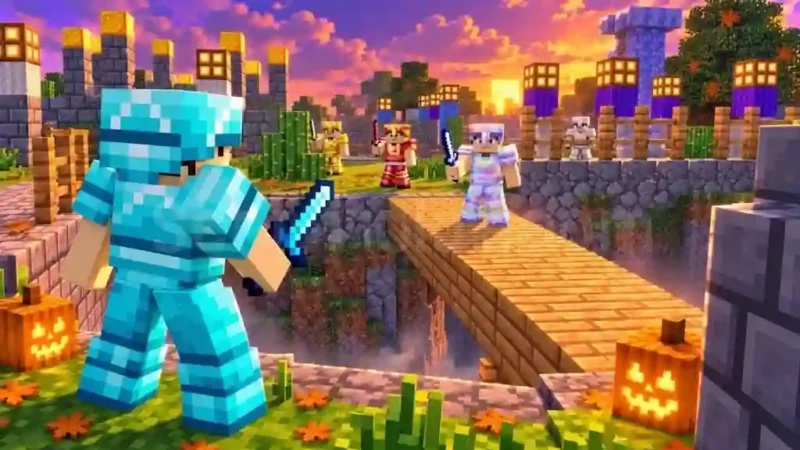

Description
The Atafami Script is a Roblox script designed for +1 Upgrade Per Kill, offering a collection of PvP combat, targeting, and movement features. Its main functions include Kill Aura, Silent Aim, Desync, Auto Attack, and Auto Crit, giving players access to different combat automation options. The script also includes Target Strafe, Auto Strafe, Speed, Anti Knockback, and No Slow to provide additional movement controls during gameplay.
The Atafami Script also features ESP and Target ESP, Auto Golden Apple, Auto Rewards, Auto Quests, and Auto Index. Other available options include Infinite Jump, Jump Boost, No Fall Damage, Anti Void, Trajectory, Third Person Camera, Kill Effect, and visual effects such as Cape, Trail, and Sky Particles. The script requires a key and is specifically designed for PC; mobile devices are not supported according to its listing.
Key Features
- Kill Aura: Provides automated combat attacks against nearby targets.
- Silent Aim: Includes a silent targeting option.
- Desync: Provides a desynchronization feature for PvP gameplay.
- Auto Attack: Automates attack actions.
- Auto Crit: Includes automatic critical-hit functionality.
- Target Strafe: Adds movement around selected targets.
- Auto Strafe: Provides automated strafing movement.
- ESP & Target ESP: Helps identify players and selected targets.
- Auto Golden Apple: Automates Golden Apple usage.
- Auto Rewards: Automates available reward collection.
- Auto Quests: Includes quest automation.
- Auto Index: Provides an automatic index feature.
- Speed: Offers a movement-speed option.
- Anti Knockback: Includes knockback-related protection.
- Safe Mode: Provides an additional mode that is still being refined.
- Anti Fire: Includes a fire-related protection option.
- No Slow: Removes the movement-slowing effect.
- Infinite Jump: Allows repeated jumping.
- Jump Boost: Provides an enhanced jumping option.
- No Fall Damage: Includes fall-damage prevention.
- Anti Void: Provides protection against falling into the void.
- Trajectory: Includes a trajectory-related visual or gameplay option.
- No Camera Shake: Disables camera-shaking effects.
- Third Person Camera: Adds a third-person camera option.
- Kill Effect: Includes visual effects after eliminations.
- Cape, Trail & Hit Particles: Adds character and combat visual customization.
- Sky Particles: Provides additional visual effects.
How to Use the Atafami Script
Step 1: Open Roblox
Launch Roblox on your PC and search for the +1 Upgrade Per Kill game.
Step 2: Join the Game
Enter a game server and allow the game to finish loading.
Step 3: Open Your Executor
Launch a compatible Roblox executor on your PC.
Step 4: Copy the Script
Visit the Atafami script page and copy the available script code.
Step 5: Paste and Execute
Paste the copied code into your executor and press the Execute button.
Step 6: Complete Key Verification
If the key system appears, use the creator’s Get Key option and follow the verification instructions.
Step 7: Open the Script Menu
After successful execution, check the available Atafami interface and its settings.
Step 8: Enable Combat Features
Choose features such as Kill Aura, Silent Aim, Auto Attack, Auto Crit, and Desync according to your preferences.
Step 9: Configure ESP and Movement
Enable ESP, Target ESP, Target Strafe, Speed, or other available movement options.
Step 10: Customize Additional Settings
Explore Auto Golden Apple, Auto Rewards, Auto Quests, visual effects, and other utilities.
Important: Atafami is listed as PC-only. Mobile devices are not supported. Its Safe Mode is still being refined, and individual features may behave differently depending on the game and executor.
Script Preview
loadstring(game:HttpGet("https://raw.githubusercontent.com/Vel2367/Atafami-Release/main/loader.luau"))()How to Use This Script
Open Your Executor
Launch a supported executor and attach it to a running Roblox session.
Copy the Script
Click the Copy button above. The full loadstring is placed on your clipboard instantly.
Paste & Execute
Paste it into the executor and hit Execute. The hub window opens inside the game.
Features
Tested with
Compatible Executors
Similar Scripts
 99
3 weeks ago
No Key
185
3 weeks ago
No Key
59
4 weeks ago
No Key
209
4 weeks ago
No Key
Comments
0
No comments yet. Be the first to comment!