
Description
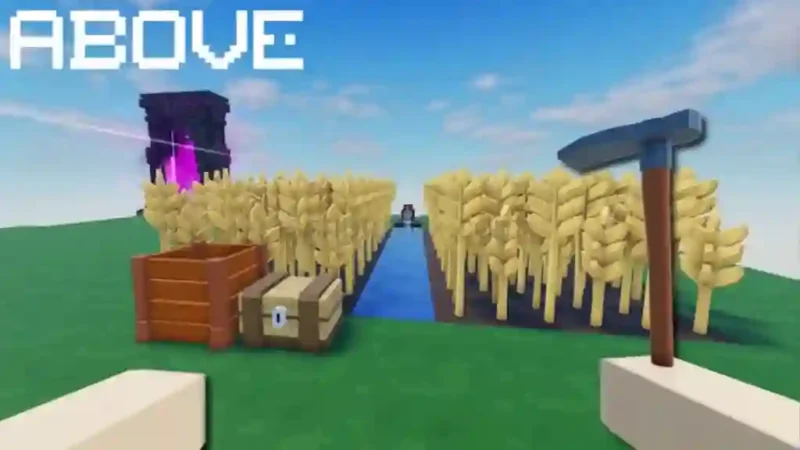
The Project Monterey Script is a Roblox script hub designed with a macOS Monterey-inspired interface. For the game ABOVE, it includes useful automation options such as Kill Aura, Shoot Aura, Auto Mine, Auto Harvest, Auto Chop and Auto Sprint. The interface is designed to resemble macOS Monterey, giving the hub a distinctive desktop-style appearance.
This Project Monterey Script is completely keyless for ABOVE, so users do not need to complete a key verification process. The hub also supports other Roblox games, including Murder Mystery 2 and Doors, although their available features differ. Mobile executors and low-SUNC executors are not officially supported, so check compatibility before using the script.
Key Features
- Kill Aura: Automatically attacks nearby targets in supported gameplay.
- Shoot Aura: Provides automated shooting functionality.
- Auto Mine: Automates mining actions in ABOVE.
- Auto Harvest: Automatically performs harvesting tasks.
- Auto Chop: Automates chopping activities.
- Auto Sprint: Enables automatic sprinting.
- macOS Monterey UI: Features an interface inspired by Apple’s Monterey design.
- Keyless Access: No key verification is required for ABOVE.
How to Use the Script
- Open Roblox and launch ABOVE.
- Join a game server.
- Open an executor that supports the script’s required functions.
- Copy the Project Monterey Script code from its available script page.
- Paste the code into your executor.
- Execute the script and wait for the Project Monterey interface to load.
- Open the available features and enable the options you want to use.
Compatibility Note: Project Monterey is keyless for ABOVE, but mobile executors and low-SUNC executors such as Solara and Xeno are not officially supported. The listing also mentions support for Murder Mystery 2 and Doors, with different features available in those games.
Script Preview
loadstring(game:HttpGet('https://raw.githubusercontent.com/Maanaaaa/ProjectMonterey/refs/heads/main/Loader.lua'))()How to Use This Script
Open Your Executor
Launch a supported executor and attach it to a running Roblox session.
Copy the Script
Click the Copy button above. The full loadstring is placed on your clipboard instantly.
Paste & Execute
Paste it into the executor and hit Execute. The hub window opens inside the game.
Features
Tested with
Compatible Executors
Similar Scripts
 116
2 months ago
No Key
 47
1 week ago
No Key
 19
1 month ago
No Key
 60
1 month ago
No Key
 32
3 weeks ago
No Key
 28
2 weeks ago
No Key
Comments
0
No comments yet. Be the first to comment!