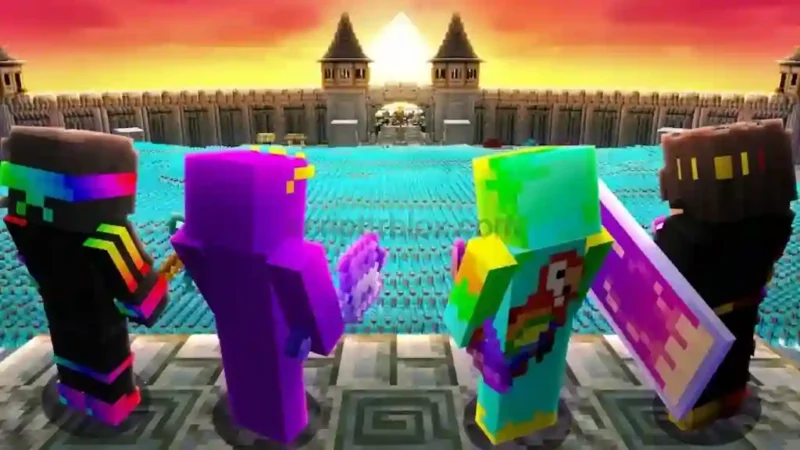

Description
The Unstable SMP FFA Script is designed for players looking for additional PvP combat and movement options in the Unstable SMP FFA Roblox experience. Its feature list includes Kill Aura, Rage, Crit Jump, W-Tap, S-Tap, Auto Strafe, Auto Sprint, and Bunny Hop. It also offers visual and customization options such as Player ESP, Lock FOV, FOV Changer, and Weapon Skins.
With the Unstable SMP FFA Script, players can explore several combat-related tools from one script interface. Other listed options include Auto Gapple, Instant Cart, and a Master Switch for controlling the script. The listing is marked as Verified, but a key is required to access it. Mobile compatibility is currently untested, so check the latest creator information before using it.
Key Features
- Kill Aura: Provides an automated combat feature.
- Rage: Includes a rage-style PvP option.
- Crit Jump: Adds a critical-jump combat feature.
- W-Tap & S-Tap: Includes movement techniques for PvP.
- Auto Strafe: Automates strafing movement.
- Auto Sprint: Provides automatic sprinting.
- Bunny Hop: Adds bunny-hop movement.
- Auto Gapple: Includes an automatic gapple feature.
- Player ESP: Helps display player locations.
- FOV Settings: Includes Lock FOV and FOV Changer.
- Weapon Skins: Offers weapon appearance customization.
- Master Switch: Provides a main control for script features.
How to Use the Script
- Open Roblox and launch Unstable SMP FFA.
- Join a game server.
- Open a compatible Roblox script executor.
- Get the required key by following the creator’s verification instructions.
- Copy the script code from the listing.
- Paste the code into your executor and execute it.
- Open the script interface and configure the available features.
Note: This script requires a key, and mobile compatibility is untested. The listing includes community reports of players being flagged and banned, so using third-party scripts may carry account risks. Avoid unfamiliar verification commands or downloads.
Script Preview
loadstring(game:HttpGet("https://api.jnkie.com/api/v1/luascripts/public/5be0049855db7a0553af317df228f61d5193053f285e5b6a5f75eb6cdf4a9a27/download"))()How to Use This Script
Open Your Executor
Launch a supported executor and attach it to a running Roblox session.
Copy the Script
Click the Copy button above. The full loadstring is placed on your clipboard instantly.
Paste & Execute
Paste it into the executor and hit Execute. The hub window opens inside the game.
Features
Compatible Executors
Comments
0
No comments yet. Be the first to comment!