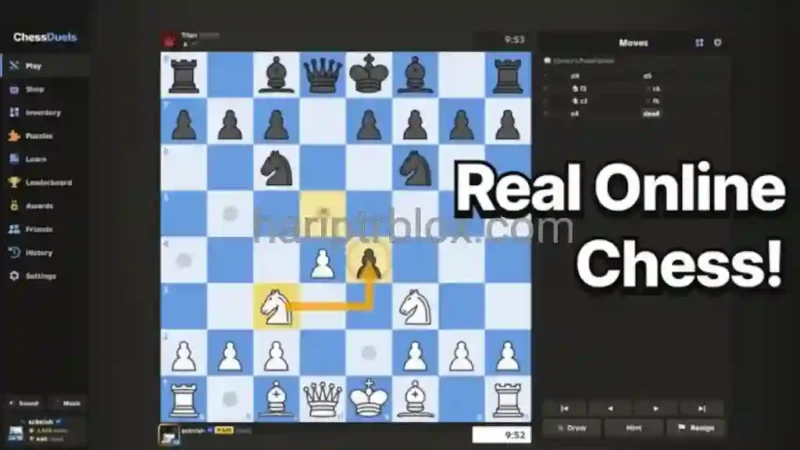

Description
The Chess Duels Script is designed for Roblox players who want automated chess gameplay and puzzle-solving tools in Chess Duels. It uses the Stockfish chess engine and Lichess Cloud GM Engine to provide Auto-Play, while Fast Mode supports quicker moves for Blitz and Bullet matches. Players can also adjust engine strength and thinking delays through its Human Behaviour settings.
This Chess Duels Script includes a Puzzle Auto-Solver for Rated, Daily, and Rush puzzles, along with a Manual Best Move option for individual moves. Additional features include Daily Goal Farm for matches, puzzles, and lessons, Anti-AFK Protection, and a Fluent Renewed interface. The script is keyless and supports both PC and mobile, making its listed features accessible across different devices.
Key Features
- Stockfish Auto-Play: Uses Stockfish for automated chess moves.
- Lichess Cloud Engine: Adds cloud-based chess engine support.
- Fast Mode: Enables quicker moves for Blitz and Bullet games.
- Human Behaviour: Adjusts engine level and thinking delays.
- Manual Best Move: Finds a strong move with a single action.
- Puzzle Auto-Solver: Supports Rated, Daily, and Rush puzzles.
- Auto Next: Automatically proceeds to the next puzzle.
- Daily Goal Farm: Automates matches, puzzles, and lessons.
- Anti-AFK Protection: Helps prevent inactivity interruptions.
- Safe Unload: Provides an option to unload the script safely.
- PC & Mobile Support: Includes a compatible interface for both platforms.
- Keyless Access: No separate key verification is required.
How to Use the Script
- Open Roblox and launch Chess Duels.
- Join a game or open the puzzle section.
- Start a compatible Roblox script executor.
- Copy the Chess Duels Script loader from its listing.
- Paste the loader into your executor and run it.
- Open the script interface and select Auto-Play, Puzzle Solver, or Manual Best Move.
- Adjust engine level, thinking delay, and Fast Mode settings as needed.
Note: The listing marks this script as keyless and mobile-friendly. Tested executors include Wave, Delta, Codex, and Real. Executor compatibility may change following Roblox or game updates.
Script Preview
loadstring(game:HttpGet("https://raw.githubusercontent.com/myheisenberg/Chess-Duels/main/loader.luau"))()How to Use This Script
Open Your Executor
Launch a supported executor and attach it to a running Roblox session.
Copy the Script
Click the Copy button above. The full loadstring is placed on your clipboard instantly.
Paste & Execute
Paste it into the executor and hit Execute. The hub window opens inside the game.
Features
Compatible Executors
Similar Scripts
 213
4 weeks ago
No Key
 161
2 months ago
No Key
 35
1 month ago
No Key
 116
2 months ago
No Key
 309
2 weeks ago
No Key
56
3 weeks ago
No Key
Comments
0
No comments yet. Be the first to comment!