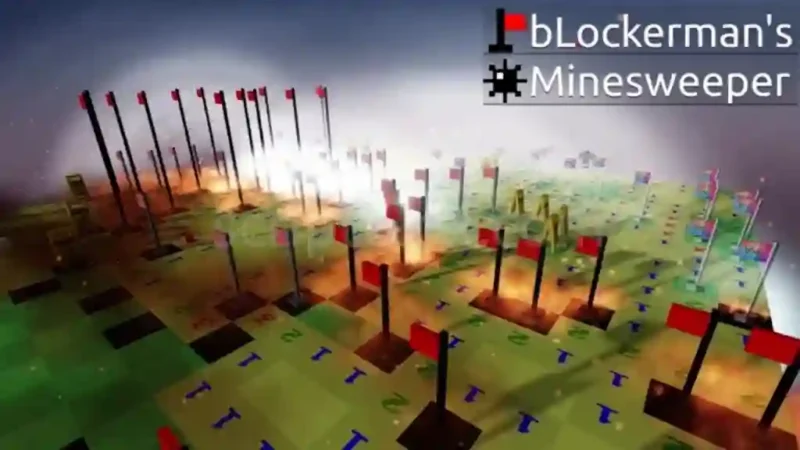

Description
The bLockerman’s Minesweeper Script helps Roblox players analyze the Minesweeper board and make more informed tile selections. It identifies safe tiles and mines using the numbers displayed on the board, calculates mine probabilities, and highlights useful information to simplify the puzzle-solving process.
With the bLockerman’s Minesweeper Script, players can also get a best guess when no tile is confirmed safe, detect flags placed on safe tiles, and customize the board with six different tile designs. The script is open source and keyless, while mobile compatibility is currently untested.
Features
- Safe Tile Detection: Marks tiles identified as safe.
- Mine Detection: Highlights tiles identified as mines.
- Exact Mine Chance: Calculates mine probabilities for nearby tiles.
- Best Guess: Suggests a tile when no certain option is available.
- Flag Detection: Identifies flags placed on safe tiles.
- Six Tile Designs: Choose Glass, Minimal, Frost, Brackets, Wash, or Mono.
- Open Source: Provides access to its source code.
- Keyless Access: No script key is required according to the listing.
FAQs
1. What is the bLockerman’s Minesweeper Script?
It is a Roblox Minesweeper helper script that analyzes board numbers, marks safe tiles and mines, and calculates mine probabilities.
2. Does the script require a key?
No. The listing identifies it as a keyless script.
3. Can this script identify safe tiles and mines?
Yes. It uses the numbers on the board to identify safe tiles and mines.
4. What does the Best Guess feature do?
It suggests a possible tile selection when the available information does not establish a certain safe tile.
5. Does the script support mobile devices?
Mobile compatibility is listed as untested, so performance on mobile devices is not confirmed.
6. Which tile designs are available?
The six available designs are Glass, Minimal, Frost, Brackets, Wash, and Mono.
Script Preview
loadstring(game:HttpGet("https://raw.githubusercontent.com/NNoradrenaline/catn-hub/main/dist/catn_hub.lua"))()How to Use This Script
Open Your Executor
Launch a supported executor and attach it to a running Roblox session.
Copy the Script
Click the Copy button above. The full loadstring is placed on your clipboard instantly.
Paste & Execute
Paste it into the executor and hit Execute. The hub window opens inside the game.
Features
Tested with
Compatible Executors
Similar Scripts
 81
4 weeks ago
No Key
 45
1 month ago
No Key
 126
1 week ago
No Key
 43
1 week ago
No Key
 25
1 month ago
No Key
 40
2 months ago
No Key
Comments
0
No comments yet. Be the first to comment!