

Description
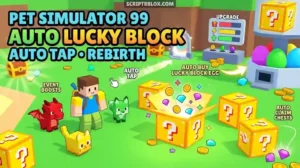
Pet Simulator 99 Script – Auto Lucky Block Part 2 (Keyless)
Want to farm the Lucky Block event in Pet Simulator 99 without tapping and buying by hand? This Part 2 script automates tapping, egg buying, upgrades and chest opening, so event farming takes far less effort.
What Is This Script?
This is a Pet Simulator 99 script updated for Part 2 of the Lucky Block event. It focuses on event automation: tapping, buying eggs, rebirthing, claiming chests and applying boosts. It is listed as keyless, so no key steps are needed. The listing was last updated in September 2026.
Key Features
Farming
- Auto Tap: Taps for you automatically.
- Auto Rebirth: Rebirths when you’re ready.
- Auto Claim Chests: Collects chests automatically.
Eggs and Events
- Auto Buy Lucky Block Egg: Buys Lucky Block eggs for you.
- Disable Egg Opening Animation: Skips the animation so you open eggs faster.
- Auto Open Event Gift: Opens event gifts automatically.
- Auto Buy Event Upgrades: Purchases event upgrades.
Boosts and Chests
- Auto Buy Luck Boosts: Supports Huge, Titanic and Gargantuan luck boosts.
- Auto Open Chests: Opens Titanic and Gargantuan chests, alternating when both are selected.
- Tier III Boosts: Damage, speed and egg luck boosts.
Supported Executors
The listing names Volt, Potassium, Wave, Delta, Opiumware, Codex, MacSploit, Vega X and Velocity. It specifically warns that the script does not support Xeno or Solara, and recommends Potassium or another high-UNC executor.
How to Use the Script
- Open a supported high-UNC executor such as Potassium.
- Launch Pet Simulator 99 on Roblox.
- Copy the script from the box above.
- Paste it into the executor and click Execute.
- Choose your boosts and chests, then turn on the features you want.
Is It Safe? (Important)
Using scripts in Roblox breaks the platform’s rules and can lead to account bans. This script loads code from an external repository each time you run it, so its behavior can change without notice. It has no user feedback yet, so results may vary. If you decide to try it, use an alt account and never your main, especially in a game where your pets have real trading value.
FAQ
Is this script keyless? Yes, it’s listed as keyless.
Does it work with Xeno or Solara? No, the listing says it doesn’t. Use a high-UNC executor.
What if it doesn’t work? Game updates often break scripts. Try another executor or wait for an update.

Script Preview
loadstring(game:HttpGet("https://raw.githubusercontent.com/theguy1231119-maker/Ps99-part-2-lucky-block-complete/refs/heads/main/ps99"))()How to Use This Script
Open Your Executor
Launch a supported executor and attach it to a running Roblox session.
Copy the Script
Click the Copy button above. The full loadstring is placed on your clipboard instantly.
Paste & Execute
Paste it into the executor and hit Execute. The hub window opens inside the game.
Features
Tested with
Compatible Executors
Similar Scripts
Comments
0
No comments yet. Be the first to comment!