

Description
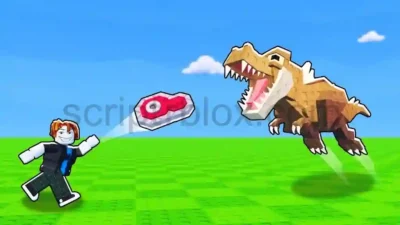
The Throw Food For Animals Auto Feed Script introduces simple automation tools for Roblox’s Throw Food For Animals. Developed under NoName Hub, it includes an Auto Feed Animals feature designed to automate feeding activities, along with a built-in Food Dispenser for accessing food during gameplay.
The hub also provides a user-friendly interface and customizable settings, making its available options easy to manage. Unlike larger script hubs with many advanced features, NoName Hub focuses on a straightforward animal-feeding experience. The Throw Food For Animals Auto Feed Script is listed as mobile-friendly, but a key is required before accessing it.
Key Features
- Auto Feed Animals: Automates animal feeding activities.
- Food Dispenser: Provides an in-game food dispenser option.
- User-Friendly Interface: Offers a simple and accessible hub menu.
- Customizable Settings: Allows users to adjust available script options.
- Mobile-Friendly: Listed with mobile-device support.
How to Use the Script
- Open Roblox and launch Throw Food For Animals.
- Join a server and wait for the game to load.
- Open a compatible Roblox script executor.
- Visit the NoName Hub listing and copy the latest available script code.
- Paste the code into your executor and execute it.
- Complete the required key verification process if prompted.
- Wait for the NoName Hub interface to appear.
- Open the available settings and enable Auto Feed Animals.
- Use the Food Dispenser option when needed.
Script Preview
loadstring(game:HttpGet("https://pasteblox.com/raw/dhxf2edd3w"))()How to Use This Script
Open Your Executor
Launch a supported executor and attach it to a running Roblox session.
Copy the Script
Click the Copy button above. The full loadstring is placed on your clipboard instantly.
Paste & Execute
Paste it into the executor and hit Execute. The hub window opens inside the game.
Features
Compatible Executors
Similar Scripts
 17
5 days ago
No Key
 38
1 week ago
No Key
24
1 week ago
No Key
18
1 week ago
No Key
62
2 weeks ago
No Key
14
2 weeks ago
No Key
Comments
0
No comments yet. Be the first to comment!