
Description
SEO Description
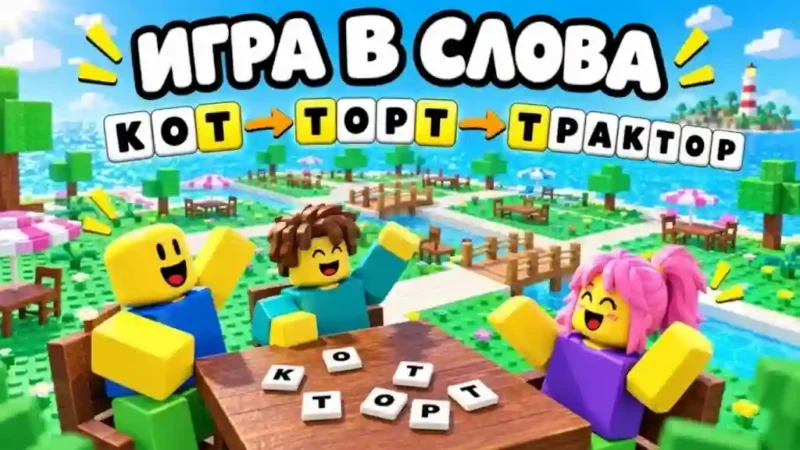
The Word Game SynHub Script is designed for players of the Roblox game Word Game who want additional automation and convenience options. Created by SynHub, this keyless script advertises features such as AutoPlay, AutoClean, Clear History, and Typing Speed controls.
With the Word Game Keyless Script, players can access its listed tools without a key system. The available options focus on automated gameplay, cleaning, history management, and typing speed adjustments. The script also lists support for several executors, although compatibility may vary depending on updates and the execution environment.
Features
- AutoPlay: Provides an automated gameplay option.
- AutoClean: Includes an automatic cleaning feature.
- Clear History: Offers an option to clear game history.
- Typing Speed: Allows players to adjust typing speed.
Frequently Asked Questions
1. What is the Word Game SynHub Script?
It is a Roblox script created by SynHub for Word Game, featuring AutoPlay, AutoClean, Clear History, and Typing Speed options.
2. Is the Word Game SynHub Script keyless?
Yes. The listing identifies it as keyless, so no script key is required.
3. What features are included in this script?
Its advertised features include AutoPlay, AutoClean, Clear History, and Typing Speed.
4. Which executors are listed as supported?
The listing names Xeno, Volt, Potassium, Wave, Delta, Solara, Codex, MacSploit, Vega X, Velocity, and Opiumware. Actual compatibility may change with updates.
Script Preview
loadstring(game:HttpGet("https://raw.githubusercontent.com/SyneXl/SynHub/refs/tags/bootstrap-v1/loader.luau"))()How to Use This Script
Open Your Executor
Launch a supported executor and attach it to a running Roblox session.
Copy the Script
Click the Copy button above. The full loadstring is placed on your clipboard instantly.
Paste & Execute
Paste it into the executor and hit Execute. The hub window opens inside the game.
Features
Tested with
Compatible Executors
Similar Scripts
 30
1 month ago
No Key
 15
6 days ago
No Key
 67
1 month ago
No Key
 31
4 weeks ago
No Key
 30
1 week ago
No Key
 49
4 weeks ago
No Key
Comments
0
No comments yet. Be the first to comment!